Was this page helpful?
Your rating will help us improve our website.





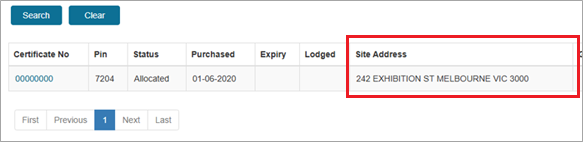
This guide describes how to change a job site address on Allocated compliance certificate in VBA360. An Allocated compliance certificate is a certificate that has been given a job site address, but has not yet been lodged with the BPC.
In most cases, you can change a site address on a compliance certificate up to 3 times, within 12 months of when it was allocated with the BPC.
This gives you the flexibility to remove an address from a certificate where a plumbing job did not go ahead, and use that certificate for a different job.
The table below outlines when you can and cannot change details on compliance certificates.
a
Situation | What you must do |
|---|---|
You carried out or supervised work that required a compliance certificate, and either:
or
| You must lodge the certificate with the BPC and give it to the person who contracted you for the job. |
You carried out or supervised work that required a compliance certificate, and:
and
| You are not required to give a compliance certificate for incomplete work to the person who contracted you for the job (or the property owner) unless they ask for one. If you have partially completed a plumbing job, and allocated a certificate to it, you should keep that incomplete certificate as a record of the incomplete work you did. This means that the certificate will be available later if it is needed. The BPC will automatically close the certificate for you after some time has passed. You can ask the BPC to reopen the certificate if you need to (e.g. if the person who contracted you asks for the certificate later, or if you complete the works later). |
You added a site address to a certificate, but you did not carry out or supervise any work at that site. For example:
| You can change the address on the Allocated certificate and use the certificate on another job. The BPC actively monitors compliance certificates. We protect consumers by taking disciplinary action against plumbers where we identify misleading conduct and/or non-compliant work. |
People who do not currently hold a plumbing licence (but did in the past) can log into VBA360 to view the compliance certificates they bought while they were licenced. However, they cannot buy or lodge compliance certificates because plumbing work that requires a certificate is plumbing work that requires a licence. This applies to anyone who has:
If you don't have a VBA360 account, or need support to sign in, please read the guides:
Creating a VBA360 account
or
Signing into a VBA360 account
on our using VBA360 for compliance certificates webpage.
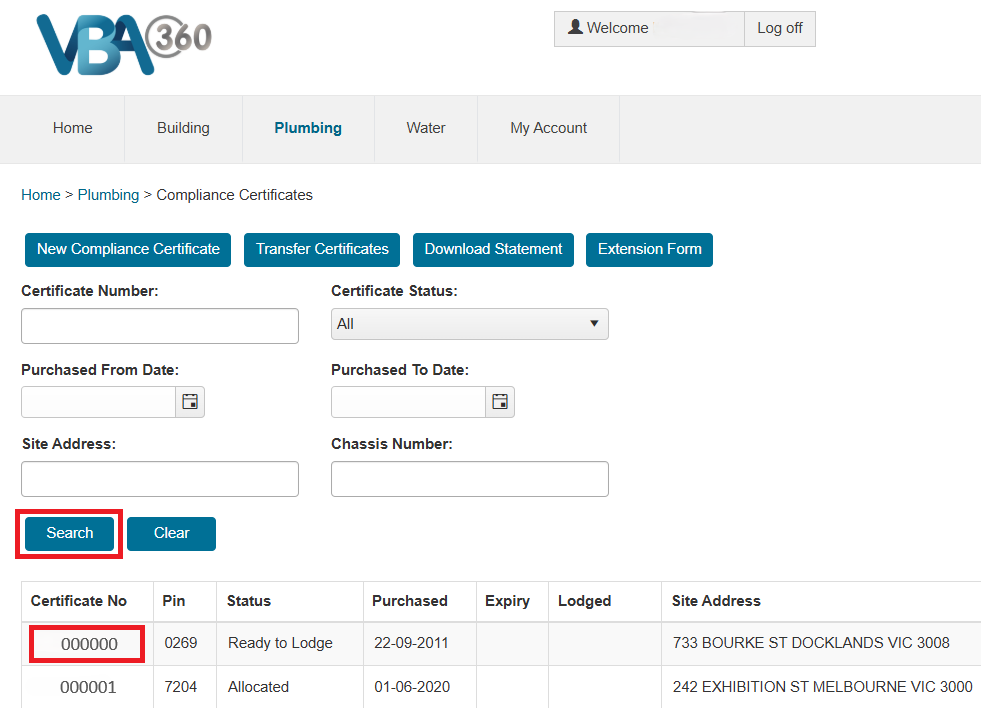
Open the certificate by clicking on the certificate number in the Certificate No column.
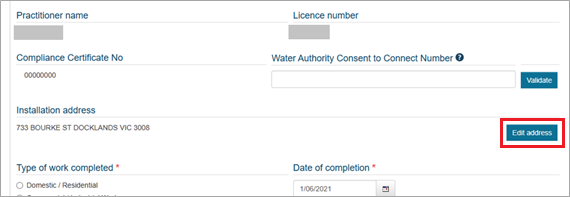
Click Edit address.
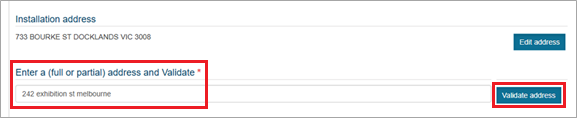
Type in the new address and click Validate address.
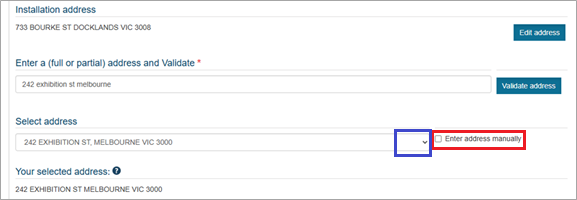
Use the drop-down list to select the correct address. By default, the most likely match is already selected.
If VBA360 did not find the address you typed (e.g. because you are searching for a new development or a lot number), you can tick the Enter address manually box to keep the address you have typed.
This is because in most cases licensed plumbers can only change addresses on compliance certificates up to 3 times within 12 months of the allocated or lodged date.
If you see the message, click the link to the form and follow the prompts. The form will ask you to tell us why you need to change the site address.
After you fill out the form, we will contact you. If we tell you that you can edit the address, come back to this guide and follow the instructions from Step 1.

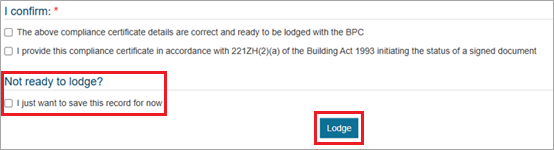
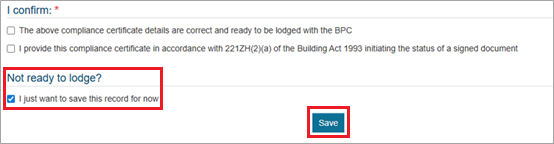
If you are not ready to lodge the certificate yet, under Not ready to lodge, check the I just want to save this record for now box.
The Save button will appear at the bottom of the screen. Click Save.
If you have entered all other compliance certificate details, you can choose to lodge the certificate.
Under Not ready to lodge, do not check the I just want to save this record for now box.
The Lodge button will appear at the bottom of the screen. Click Lodge.