
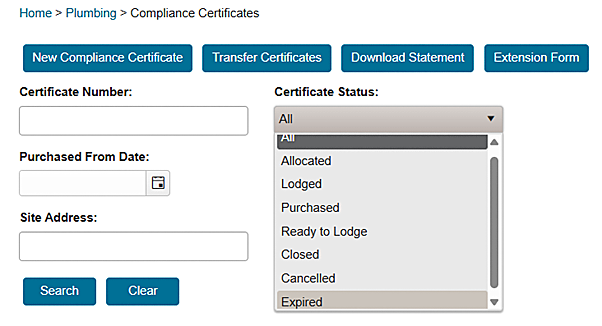

After logging in to your VBA360 account, click New compliance certificate. You will be taken to complete an online purchase form.
You can then buy compliance certificates, either individually or in bulk. You can also choose to store your credit card details in VBA360, allowing you to quickly complete all future purchases.
There is a limit to how many compliance certificates can be bought per calendar month. This monthly purchase cap is different for each practitioner, and reflects their purchase history and current needs.
You can ask the BPC to change your monthly cap at any time through the compliance certificate Request Form in VBA360. You will be given a link to that form if you reach your cap.
Purchase single certificate
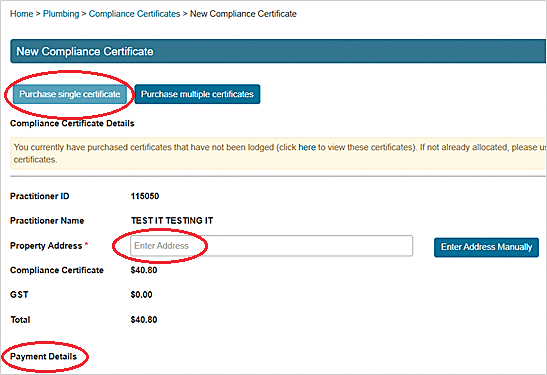
If you want to buy only one compliance certificate, click Purchase single certificate.
- Enter the property address and your payment details.
- Press Pay.

Purchase multiple certificates
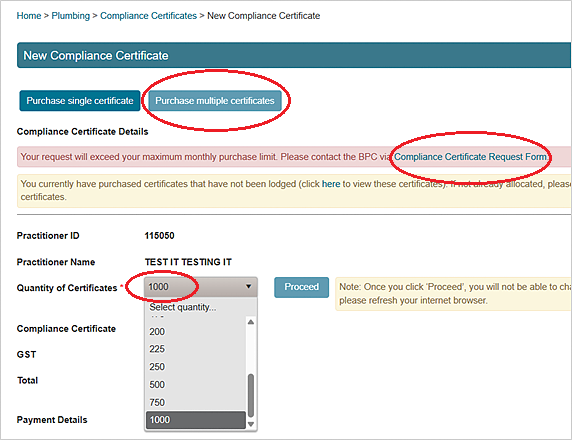
If you want to buy several compliance certificates at the same time, click Purchase multiple certificates.
You can only buy certificates in groups of 25. This means that if you have a monthly purchase cap of less than 25, VBA360 will tell you that you have exceeded that cap.
You'll need to fill out the compliance certificate Request Form if you would like to increase the cap to allow you to buy in bulk.
- If your monthly cap is at least 25, use the drop-down menu to select the number of compliance certificates you want to buy.
- Enter your payment details.
- Press Pay.